Version: 5.10
Dashboard page
The Streaming dashboard gives you an overview of a connected cluster, which has Jet enabled.
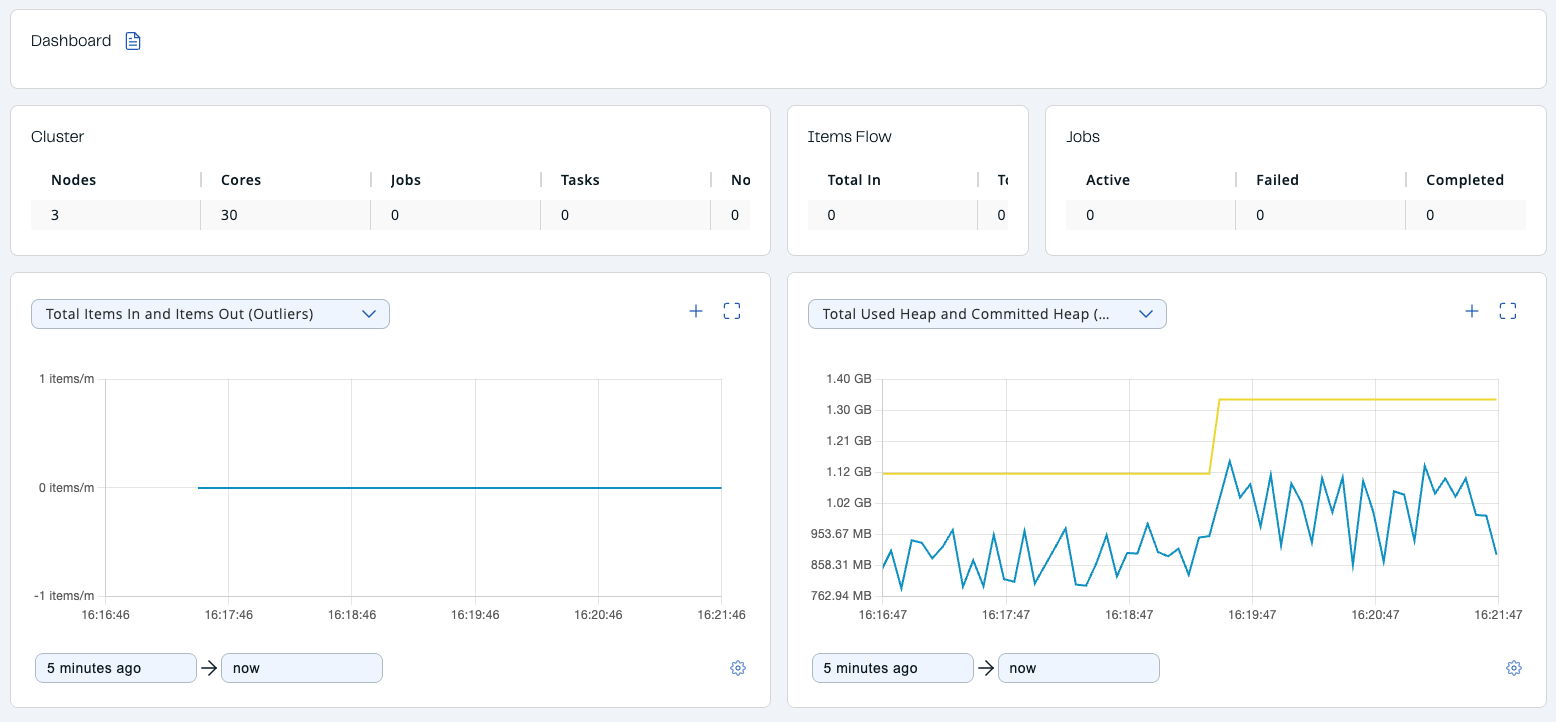
The following subsections describe each section of the page.
Cluster
Shows a summary of the cluster by providing the following metrics:
- Nodes: Number of cluster members.
- Cores: Number of available CPU cores in the cluster reported by the JVM.
- Jobs: Number of jobs in the cluster.
- Tasks: Number of cooperative tasks in the cluster. See Tasks Concurrency is Cooperative for more detailed explanation.
- Non-cooperative Tasks: Number of non-cooperative tasks in the cluster. See Tasks Concurrency is Cooperative for more detailed explanation.
Items Flow
- Total In: Total number of items read from the sources of all jobs.
- Total Out: Total number of items written to the sinks of all jobs.
Jobs
- Active: Number of active jobs in the cluster.
- Failed: Number of failed jobs in the cluster.
- Completed: Number of completed jobs in the cluster.