
This page gives an overview of the connected Jet cluster, as shown below:
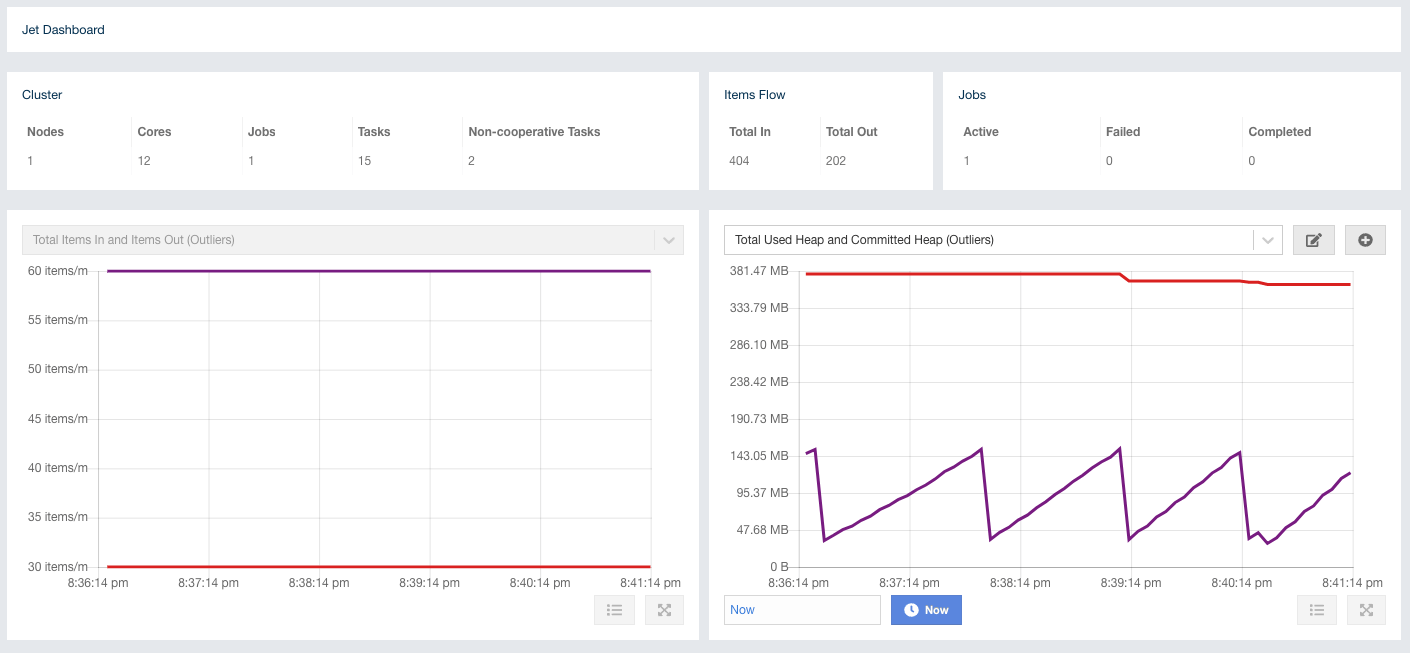
The following subsections describe each portion of the page.
Cluster
Shows a summary of the cluster by providing the following metrics:
-
Nodes: Number of cluster members.
-
Cores: Number of available CPU cores in the cluster reported by the JVM.
-
Jobs: Number of jobs in the cluster.
-
Tasks: Number of cooperative tasks in the cluster. See https://jet-start.sh/docs/concepts/dag#tasks-concurrency-is-cooperative for more detailed explanation.
-
Non-cooperative Tasks: Number of non-cooperative tasks in the cluster. See https://jet-start.sh/docs/concepts/dag#tasks-concurrency-is-cooperative for more detailed explanation.